
Strategy for fast and effective testing in AWS CDK projects
AWS CDK has excellent assertions library for testing constructs, but with defaults it runs very slow. Writing matchers also can be a challenge. I put a strategy how to improve testing flow in CDK.


You will almost certainly want to write tests in CDK if you’re developing a construct library. When you write a CDK application, it rarely requires testing. The reason for that is CDK code itself is a good enough “contract” for both the API and implementation. However, the CDK libraries or constructs that other apps consume do require testing to make sure the contract stays stable.
Also, before I get into the testing, a quick reminder that CDK generates CloudFormation templates. The testing part is to validate templates for correctness with various inputs in the CDK construct classes.
CDK offers the "aws-cdk-lib/assertions" library for testing
import { Capture, Match, Template } from "aws-cdk-lib/assertions";For example, I’m using CDK Construct for Route53 management that prevents zone sprawl and simplifies delegation of DNS with AWS Organizations OUs
https://github.com/CatenaryCloudHQ/RouteMaster
This is a typical Construct library. Projen takes care of the heavy lifting to set up the repository, manages the release cycle, and also configures tests for CDK.
When I added the first few tests, I noticed they kinda run not very fast, but I didn’t care much. I had to run them before release, then maybe do a quick check, and could wait 20-30 seconds.
Then, when I added more tests, the development cycle became extremely slow and brittle. It runs the tests for 30 seconds on every change! What is going on?
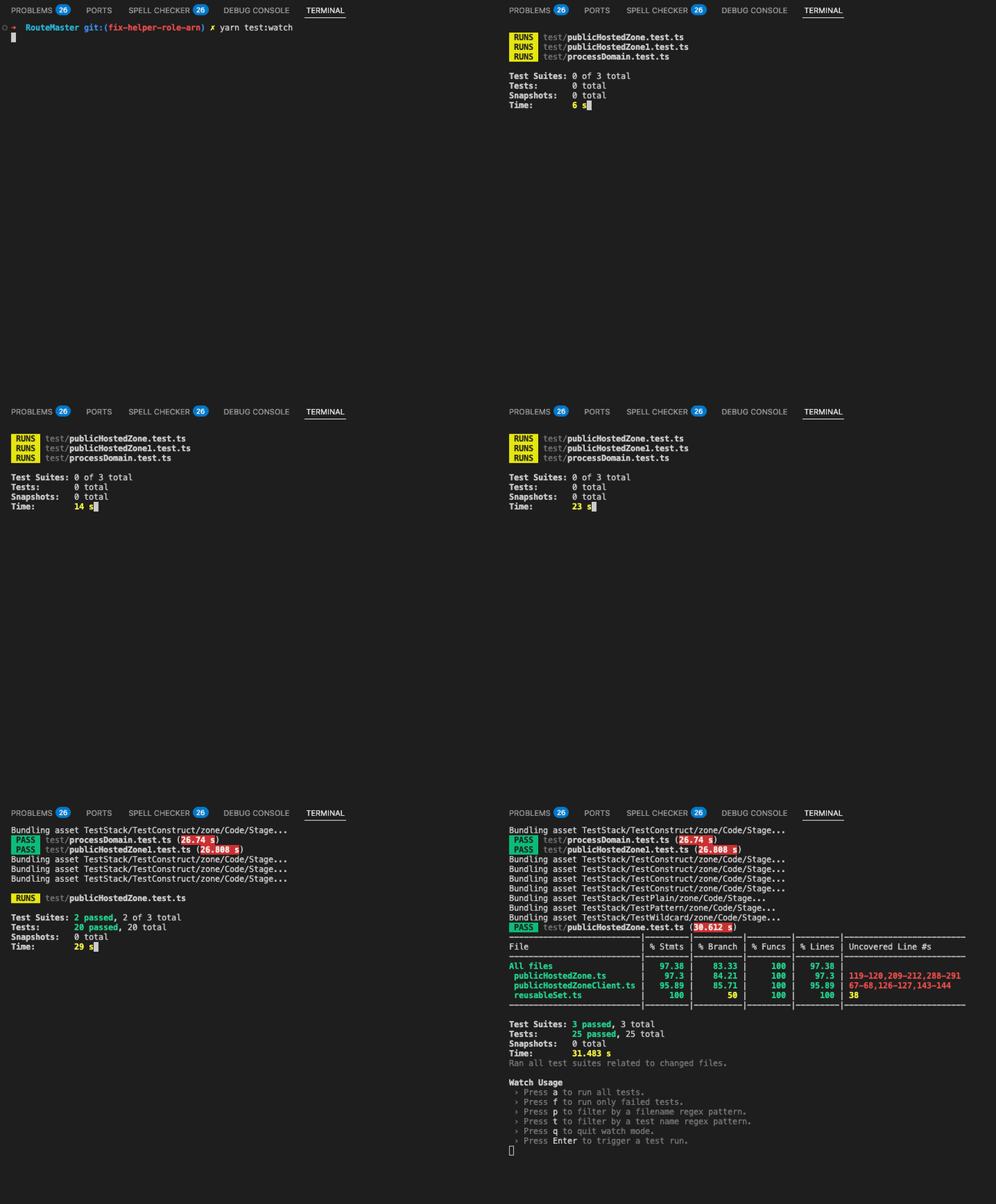
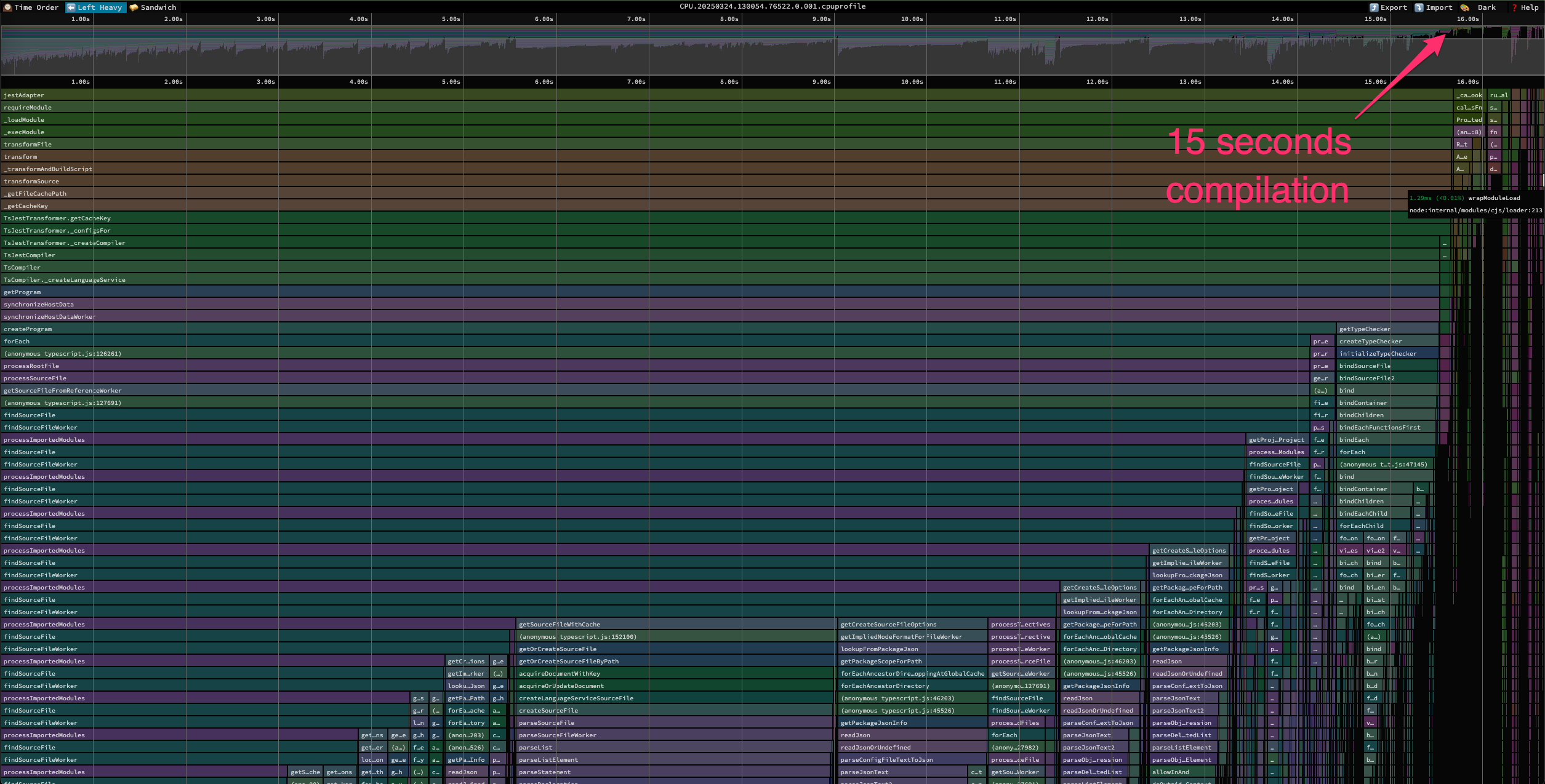
What does it spend 30 seconds on? Profiling to the rescue! This “cpu-prof” flag
node --cpu-prof ./node_modules/.bin/jest test/*.test.jsTo create a visualization from the CPU profile data it generates, run speedscope and point it to the largest profile
npx speedscope CPU.20250325.095504.57860.0.001.cpuprofileIt generates a flame graph in an HTML file. It looks like a jungle with greenish colors in a browser.
Jest stalls in TypeScript internals: findSourceFile, processImportedModules, createProgram, and getTypeChecker. Jest framework runs tests slowly because of TypeScript’s full program compilation rather than tests’ logic or execution.
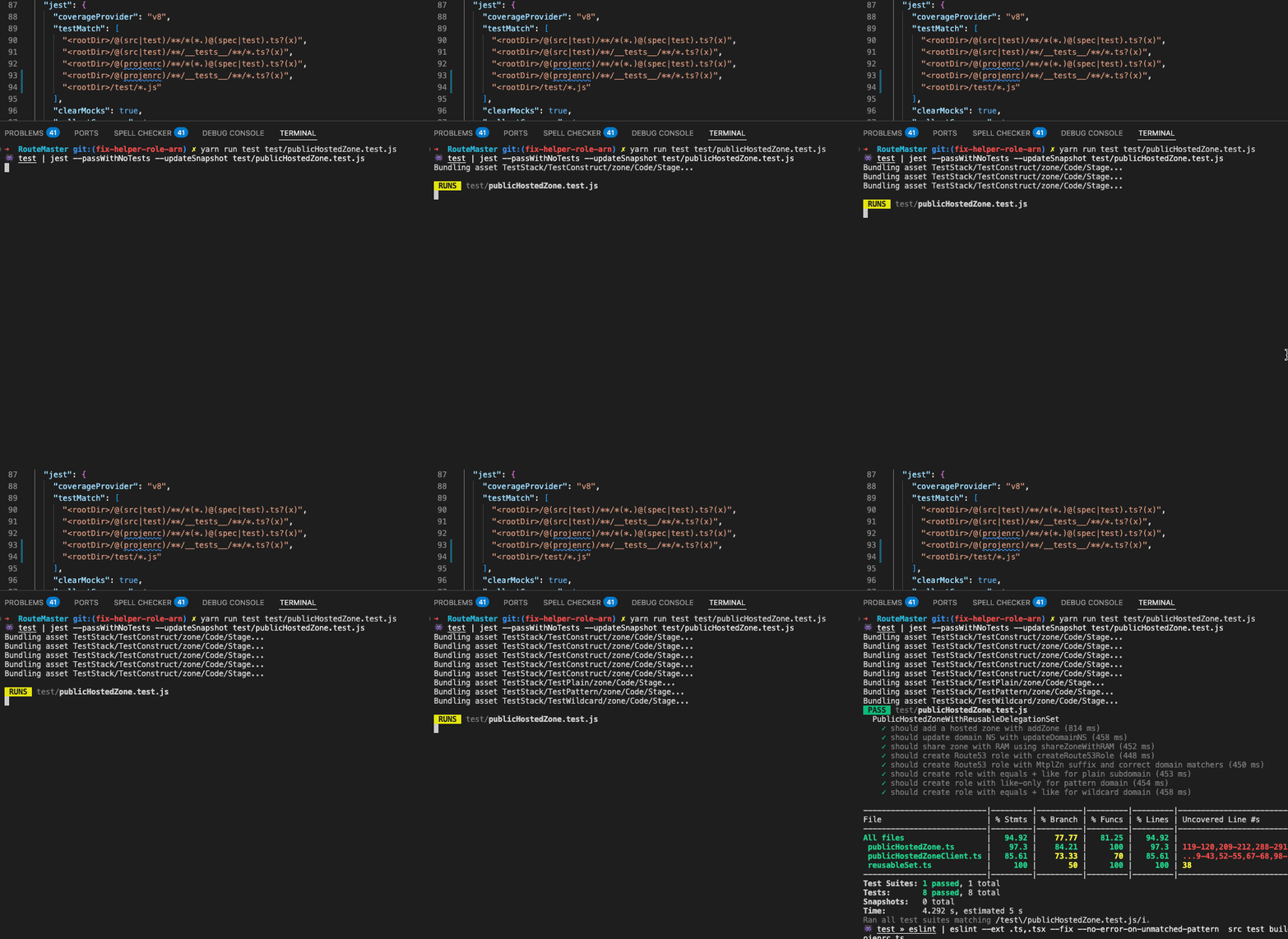
With this information, the next logical step is what? Right, to compile TypeScript and run the tests. Compile with this command
npx tsc --project tsconfig.dev.json yarn run test test/publicHostedZone.test.jsIt runs pretty fast, maybe in five seconds. By the way, that “Bundling asset” in CDK is impossible to suppress.
Final screenshot from that run
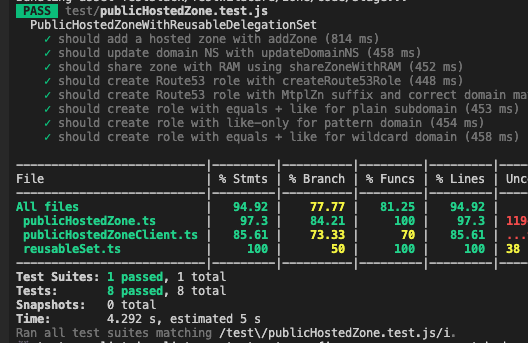
Since the tests run fast after the compilation step, I could call it a day. However, if there is a complication and a test run, it becomes a multi-step workflow. Also, it requires messing with jest configuration files. And getting an incremental compile setup. Multi-step triggered workflows are not a good way to work with a codebase. Better leave it to a continuous integration server.
A better approach is to make the Jest testing framework do its part fast. There is a project ts-jest, that solves this problem. I’ve updated .projenrc.ts to have the jest config updated
// Enable ts-jest
if (project.jest) {
  project.jest.config.transform = {
    "^.+\\.[t]sx?$": [
      "ts-jest",
      {
        tsconfig: "tsconfig.dev.json",
        diagnostics: true,
      },
    ],
  };
}
started command anticipating how fast it will run, aaaaand… it runs slow again!
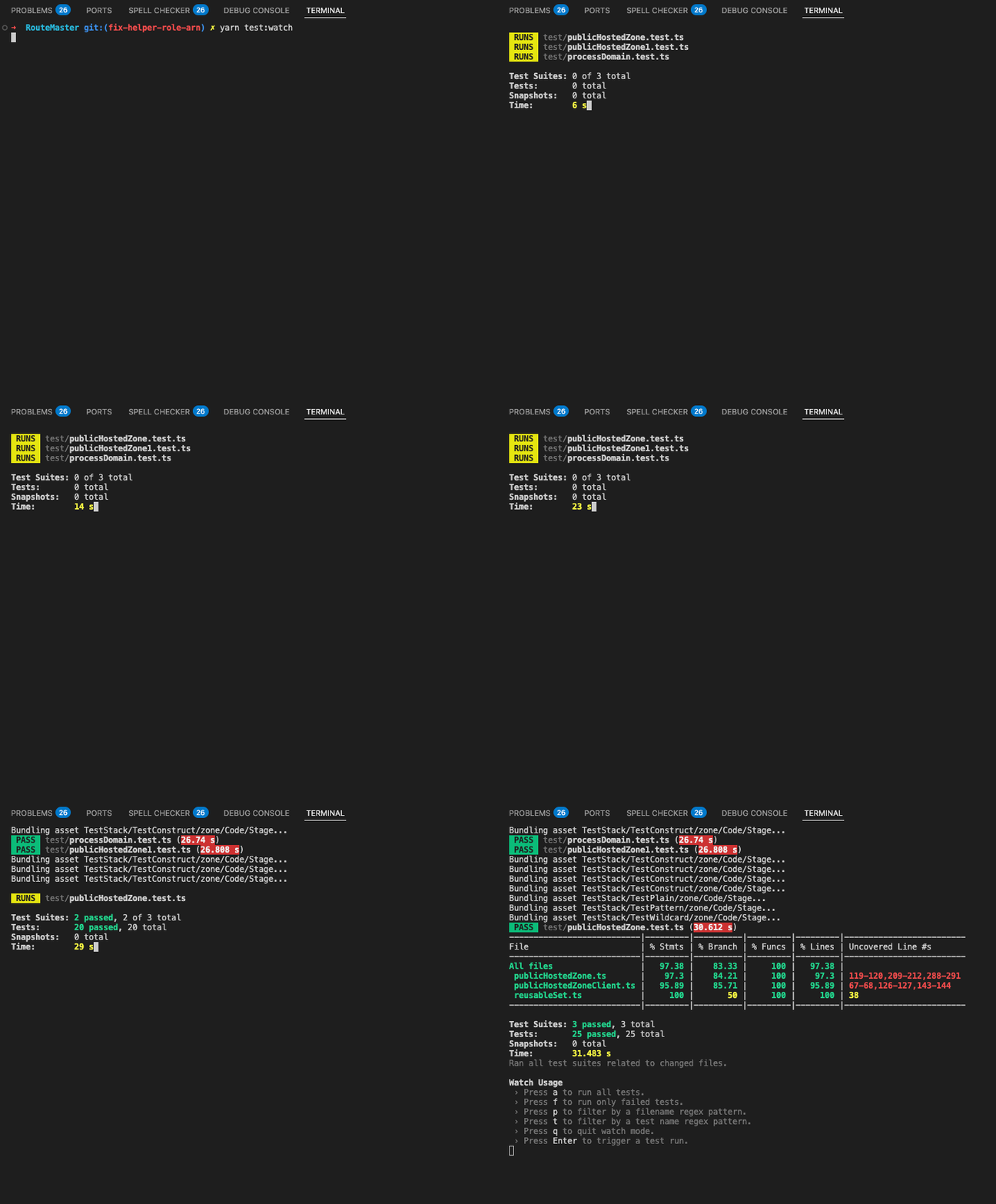
What is going on? Jest still tries to compile the whole app from scratch. But why? Maybe type-checks have to do something with this. I interrogated ChatGPT and read the Typescript documentation. By default, the test frameworks use the createProgram method, which traverses all files and checks the whole graph. That makes compilation slow.
Jest works faster if it transforms the syntax from the file with the transpileModule. which I figured out after interrogating ChatGPT. The last piece of the puzzle was to switch to transpile modules, and there is a tsconfig option called isolatedModules
isolatedModules - one more update to .projenrc.ts
project.tsconfigDev?.file.addOverride("compilerOptions.isolatedModules", true);and when tests run - they are fast, just over 5 seconds
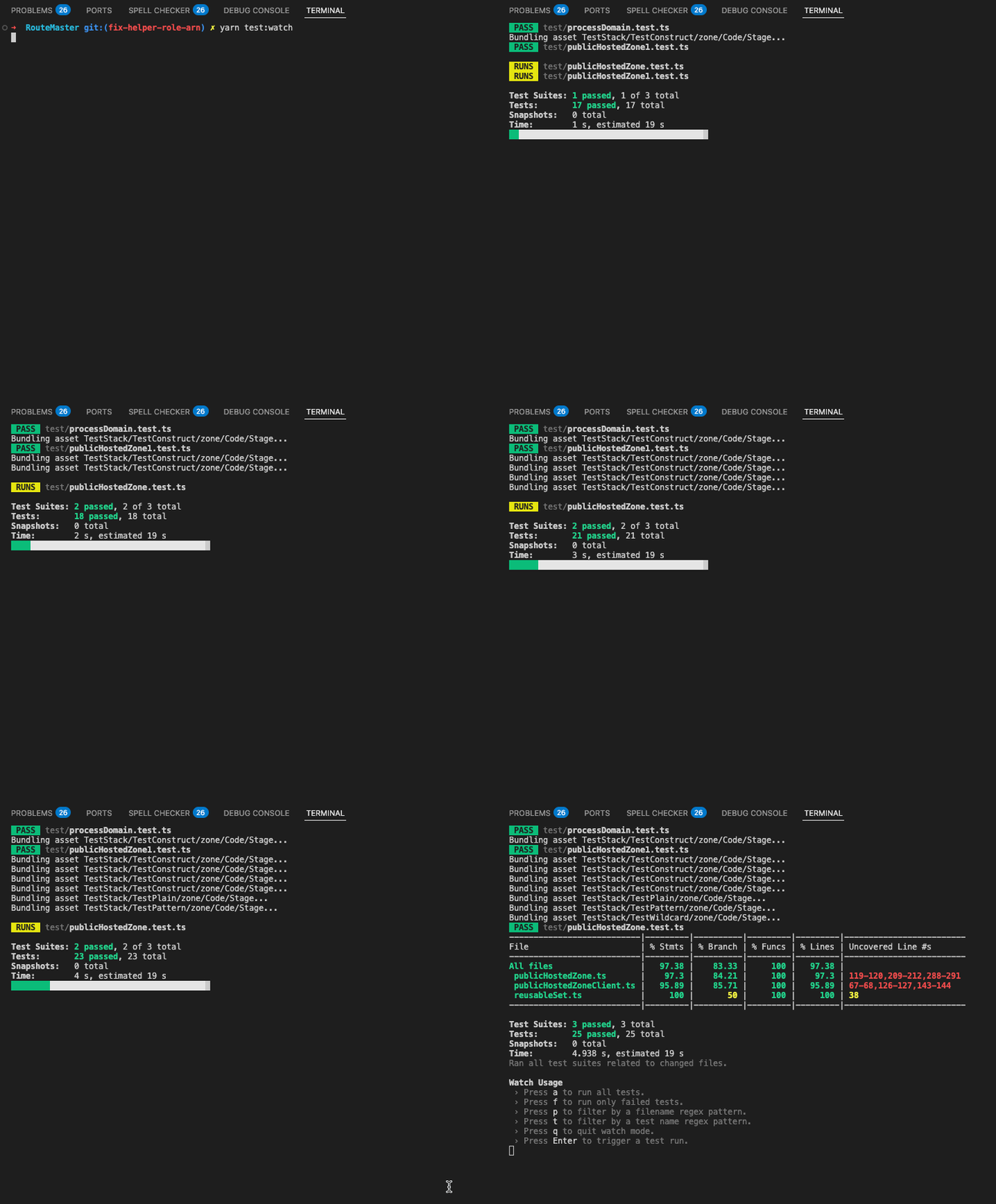
That takes care of fast test runs, but what about type checking? Unfortunately, that won’t affect runtime. The IDE still shows type check errors and the test would run fine
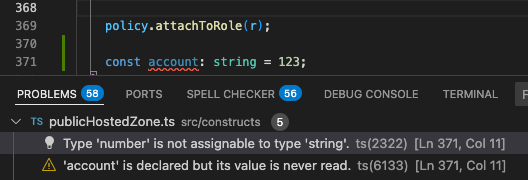
Typescript has all kinds of tools to check for type errors on the fly. As I mentioned, I wouldn’t try to chain it with test runs. There is no need to run mini-CICD pseudo-pipelines locally.
For demonstration purposes, this will run type checking and Jest in parallel
project.package.setScript(
  "dev",
  'concurrently -k -n TYPES,TESTS -c yellow,cyan "tsc --noEmit --watch --project tsconfig.dev.json" "jest --watch"',
);
project.addDevDeps("concurrently");
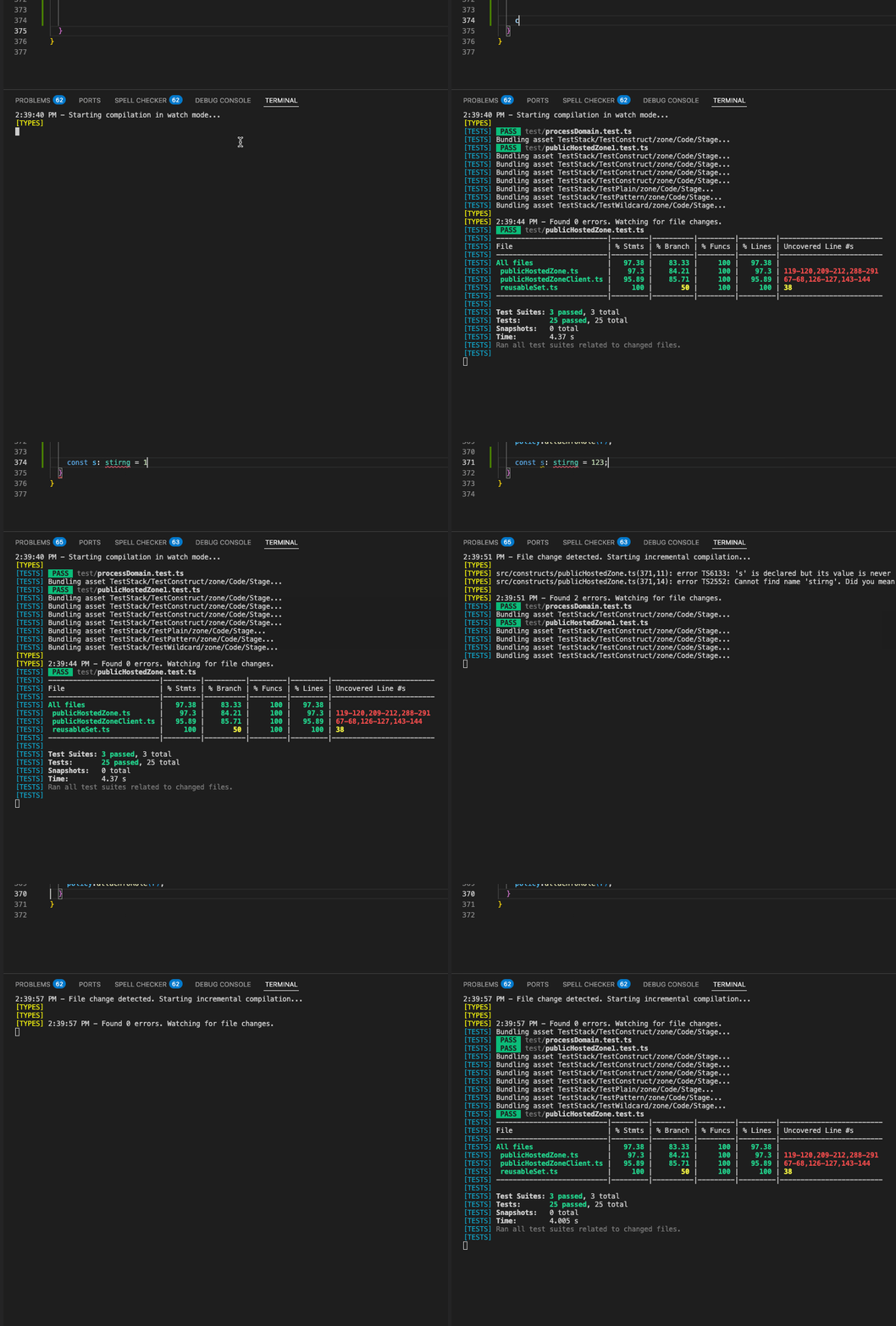
I don’t see much value, it adds more to the output for me to parse.
One last picture how a short 5-second test run looks like in the flame graph. The dark wall of the green jungle is gone, and the spikes are now contained.
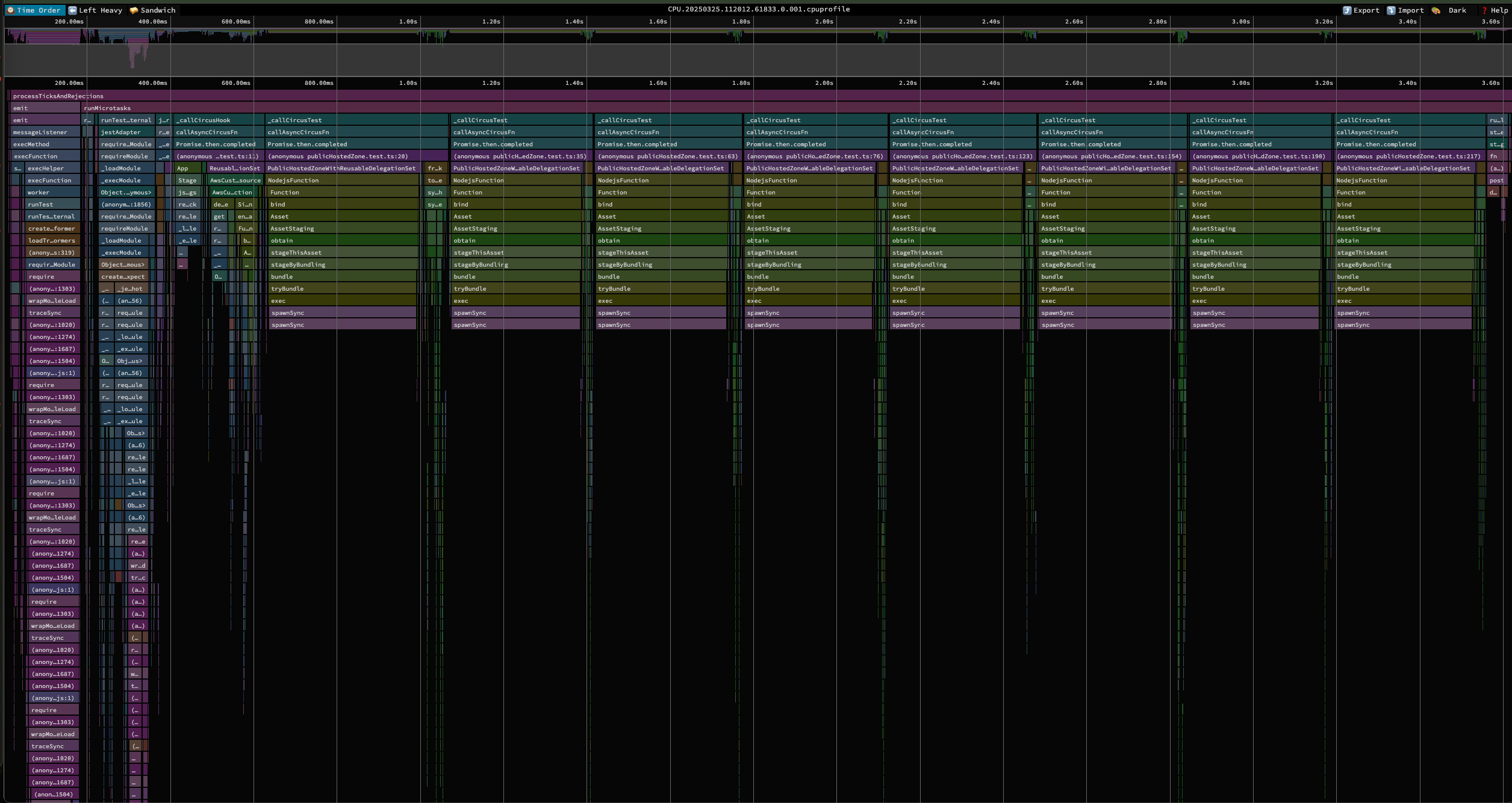
To sum up. Projen doesn’t have optimal default settings for testing CDK projects. With a few configuration options, Jest can run tests much faster. It should use transpileModule option rather than full app compilation. Incremental compilation could help, but it would make the project configuration way more complicated.
For the reference of the working setup, see the projen config in the RouteMaster Construct repository.
Happy CDK testing!
Still have questions about how to do it? I do consulting. Reach out at roman@naumenko.ca
Header image by paulberingar